How to Arrange Living Room Furniture with a Smart TV
Learn how to arrange living room furniture with tv for the perfect viewing experience. This guide covers smart TV placement, seating layouts, and entertainment center setup for any room size. You will find practical tips, common mistakes to avoid, and expert advice to make your living room look and feel its best.
Setting up a living room around a smart TV is one of the most rewarding home projects you can tackle. A well-planned living room layout makes every movie night, sports game, and family gathering more enjoyable. When you arrange living room furniture with tv thoughtfully, the whole room comes together in a way that feels natural and inviting.
Many people underestimate how much furniture placement affects their daily comfort. The wrong tv placement can cause eye strain, bad room flow, and even awkward conversations. On the other hand, a smart setup turns your living room into a true entertainment hub. You will want to spend more time there, and so will your guests.
This guide walks you through every step of the process. We will cover layout ideas, seating tips, and practical solutions for common challenges. Whether your room is small or large, you will find ideas that work. Let us dive into the details of how to make your smart TV setup shine.
Key Takeaways
- Choose the right wall: Your tv placement sets the whole room direction and creates the focal point.
- Prioritize viewing distance: Sit at the right length from the screen for comfort and eye health.
- Create a balanced layout: Let the entertainment center anchor your living room layout naturally.
- Balance seating and flow: Arrange furniture so people can move freely without bumping into things.
- Control lighting: Use ambient lighting to reduce screen glare and eye strain during viewing.
- Hide cables neatly: Clean cable management makes any room look polished and professional.
- Avoid overcrowding: Leave breathing room so the space feels open and inviting.
📑 Table of Contents
Why TV Placement Matters in Your Living Room
The way you position your smart TV affects everything from eye comfort to room aesthetics. Tv placement is not just about hanging a screen on a wall. It is about creating a viewing experience that feels natural and enjoyable for everyone in the room.
Finding the Right Wall
The first step in any living room layout is picking the right wall for your smart TV. The main wall should be the one people face when they enter the room. This wall becomes the natural focal point of the space. It draws the eye and sets the tone for the entire room.
Avoid placing your TV on a wall with windows directly behind it. Screen glare from sunlight can make viewing painful. If you have no choice, consider ambient lighting solutions like blinds or curtains. A tv wall mount can also help you adjust the angle and reduce glare.
Think about the room’s purpose too. If you watch TV mostly in the evening, the wall opposite your main light source works best. Morning sunrooms need different planning than evening entertainment spaces. Take a look at your room at different times of day before you decide.
Dealing with Screen Glare
Screen glare is one of the biggest enemies of a great tv placement. It washes out colors, creates shadows, and forces you to squint. The good news is that you can fix most glare problems with a few simple changes.
Start by checking where sunlight hits your wall during the day. If the glare is bad, try moving your furniture slightly. Even a few inches can make a big difference. You can also use anti-glare screen protectors for your TV. These are cheap and very effective.
Another trick is to use accent lighting behind the TV. A small LED strip creates a subtle glow that reduces the contrast between the bright screen and the dark room. This is called bias lighting, and it helps your eyes feel more comfortable during long viewing sessions.
Best Living Room Layouts for Smart TVs
Not every living room layout works the same way. The right seating arrangement depends on your room shape, size, and how you use the space. Here are three popular layouts that work well with smart TVs.
| Layout Style | Best For | Key Benefit |
|---|---|---|
| L-Shaped | Medium to large rooms | Creates a cozy, conversational area |
| Symmetrical | Square rooms | Balanced and formal appearance |
| Open Floor Plan | Combined living spaces | Keeps the room feeling open and airy |
The L-Shaped Layout
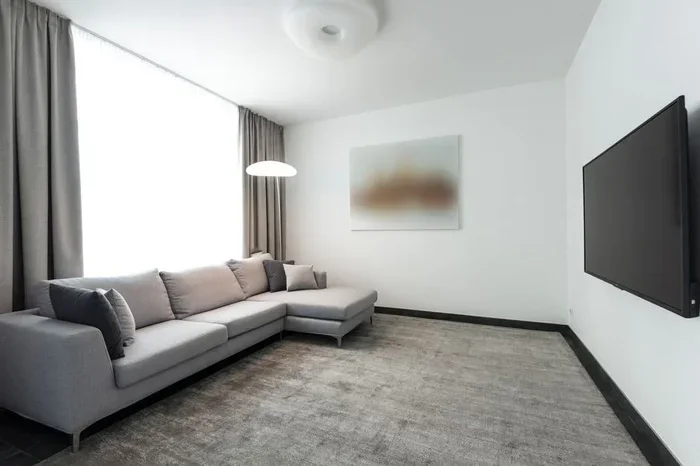
The L-shaped layout is perfect for most living rooms. It creates a natural conversational seating area that draws everyone toward the TV. Place the long side of the L facing the screen, and the short side perpendicular to it.
This layout works well in both square and rectangular rooms. It gives you plenty of seating without making the room feel cramped. A coffee table in the center of the L ties everything together. The room flow stays open, so people can move around easily.
The Symmetrical Layout
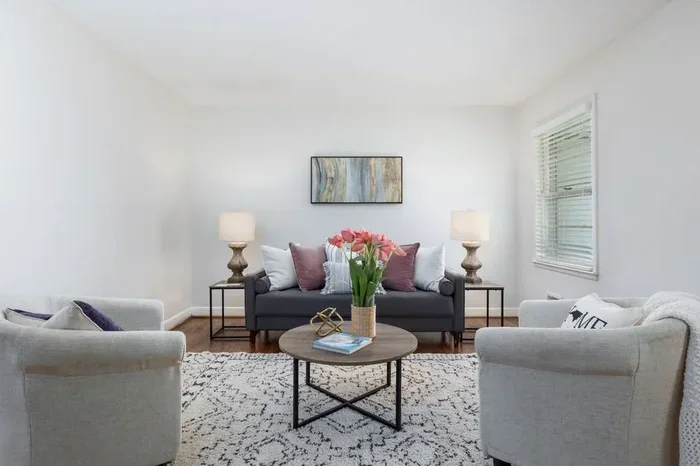
A symmetrical layout creates a balanced and formal look. Place the sofa directly facing the TV, with matching chairs on either side. This works best in square rooms or rooms with a centered entertainment center.
The symmetry makes the space feel calm and orderly. It is a great choice if you like a clean, polished look. Add a media console below the TV to keep devices and remotes organized. This layout also makes it easy to arrange accent lighting on both sides.
The Open Floor Plan Setup
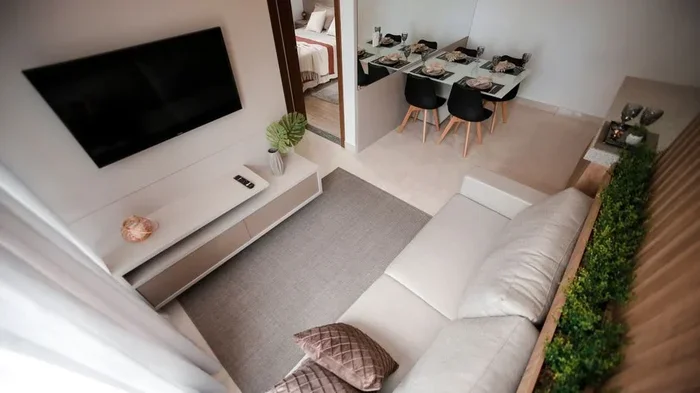
In an open floor plan, the living room flows into the dining or kitchen area. This creates unique challenges for tv placement. You need to make the TV area feel defined without closing off the space.
Use a sectional arrangement to create a natural boundary. A large sectional with its back to the dining area works great. You can also use a room divider or a bookshelf to separate zones. The key is to keep the focal point on the TV while maintaining an open feel.
Choosing the Right Seating Arrangement
Your seating arrangement makes or breaks the viewing experience. If people sit too far from the TV, they strain their eyes. If they sit too close, the screen feels overwhelming. The right setup makes every viewing session comfortable and enjoyable.
Sofa Positioning Tips
The sofa is the centerpiece of most living rooms. Place it at a viewing distance that is about 1.5 to 2.5 times the diagonal size of your TV screen. For a 55-inch smart TV, that means roughly 7 to 10 feet from the screen.
Face the sofa directly toward the TV for the best angle. Avoid placing it at a sharp angle unless the room shape forces you to. A slight angle of 15 to 30 degrees can work, but keep it minimal. This ensures everyone gets a clear and comfortable view of the screen.
If you have a sectional arrangement, position the corner piece closest to the TV. This gives the best viewing angle for everyone. Add a coffee table about 16 to 18 inches from the sofa for easy reach. The table should be low enough that it does not block the screen.
Adding Accent Chairs
Accent chairs add extra seating and style to your room. Place them within the same viewing cone as the sofa. This means everyone in the room has a good sightline to the TV.
Use chairs that complement the sofa in style and color. A conversational seating circle works well when the chairs face the TV and each other. This encourages interaction during commercial breaks or when the TV is off. Leave at least 3 feet between chairs for easy movement.
Coffee Table Placement
The coffee table serves both a functional and aesthetic role. It should be close enough to reach from the sofa but far enough to allow comfortable legroom. A good rule is to keep about 16 to 18 inches between the sofa edge and the table.
Choose a table height that matches your sofa seat height. Most media consoles and coffee tables sit about 16 to 18 inches tall. This keeps everything at a comfortable level. Avoid tables that are too tall, as they can block the view for seated viewers.
Setting Up Your Entertainment Center
Your entertainment center is the backbone of the smart TV setup. It holds your TV, devices, speakers, and accessories. A well-organized center keeps your room looking clean and makes daily use a breeze.
Media Console vs Wall Mount
You have two main options for tv placement: a media console or a wall mount. Each has its own advantages, and the right choice depends on your room and preferences.
A media console offers storage space for remotes, game consoles, and streaming devices. It also anchors the room visually. A wall mount saves floor space and creates a sleek, modern look. It works best in rooms where floor space is limited.
Some homeowners choose a hybrid approach. They use a low media console below a wall-mounted TV. This gives you the best of both worlds. You get storage and a clean, floating TV appearance. It is one of the most popular furniture placement choices right now.
Cable Management Solutions
Visible cables can ruin the look of a carefully arranged room. Good cable management keeps wires hidden and your space looking tidy. There are several easy ways to achieve this.
Use a cable raceway to run wires along the wall and behind furniture. These adhesive channels are inexpensive and easy to install. You can paint them to match your wall color for a seamless look. Another option is a cable management box that sits on the floor or inside your media console.
For a truly clean setup, consider in-wall cable kits. These allow you to route cables behind the wall. They require a bit more effort but give the most polished result. A smart home setup with wireless devices also reduces cable clutter significantly.
Expert Insights: Smart Home Integration
Modern smart TVs connect easily with other smart home devices. You can control lights, speakers, and blinds with your TV remote or voice commands. This makes your living room layout more convenient and futuristic.
Place your smart speakers near the TV for better sound and voice recognition. Use smart bulbs with ambient lighting presets for different viewing modes. A smart plug can turn your entertainment center devices on and off with a single command. These small additions make a big difference in daily use.
Lighting and Room Flow Tips
Lighting and room flow are often overlooked in furniture placement plans. But they play a huge role in how comfortable and functional your space feels. Getting these right elevates your entire living room layout.
Ambient Lighting for TV Rooms
Ambient lighting sets the mood for your viewing experience. Harsh overhead lights create glare and wash out the screen. Soft, indirect lighting is much better for watching TV.
Try placing accent lighting behind the TV or along shelves. LED light strips are affordable and easy to install. They create a warm glow that reduces eye strain. You can also use table lamps or floor lamps in the corners of the room for gentle illumination.
Dimmer switches are a game changer. They let you adjust the brightness based on the time of day and what you are watching. A dimly lit room makes colors on the screen pop and creates a cozy atmosphere for movie nights.
Creating Good Room Flow
Room flow refers to how people move through your space. A good living room layout allows easy movement from the entrance to the seating area and beyond. Blocked pathways make the room feel cramped and frustrating.
Leave at least 30 inches of walking space between furniture pieces. This is enough for comfortable passage without bumping into anything. The main path from the door to the seating area should be clear and direct.
Place side tables and lamps where they do not block walkways. Your coffee table should also allow easy access from all seating positions. When your room flow is smooth, the whole space feels larger and more welcoming.
Quick Tips for a Perfect Setup
- Measure your room first: Sketch a floor plan before buying any furniture. This saves time and money.
- Test your viewing angle: Sit in the spot where you watch most often before finalizing the layout.
- Use a tv wall mount: It frees up floor space and makes cleaning underneath easier.
- Add a rug under the seating area: It defines the zone and adds warmth to the room.
- Keep the entertainment center simple: Only display items you actually use every day.
- Balance heavy and light pieces: Pair a large sofa with lighter accent chairs for visual harmony.
- Consider wireless devices: A smart home setup with wireless speakers reduces cable clutter.
Common Mistakes to Avoid
Even with the best intentions, mistakes happen when you arrange living room furniture with tv. Knowing what to avoid saves you time, money, and frustration. Here are the most common errors people make.
Wrong Viewing Distance
Placing your sofa too close or too far from the TV is a classic mistake. Too close causes eye fatigue and headaches. Too far means you miss details and struggle to read small text on screen.
Use the viewing distance formula mentioned earlier as your guide. Measure your room before you buy furniture. This simple step prevents costly rearranging later. Your furniture placement should always serve the viewing experience first.
Ignoring Room Dimensions
Every room has unique dimensions that affect your layout. A large sectional in a small room blocks room flow and makes the space feel crowded. A tiny sofa in a large room looks lost and unbalanced.
Measure your room carefully before shopping for furniture. Sketch a floor plan to scale. This helps you visualize the living room layout before you move a single piece. It also ensures your entertainment center fits properly and your tv placement works from every seat.
Overcrowding the Space
It is tempting to fill every corner of your living room with furniture. But overcrowding kills the comfort and style of the space. Leave room for breathing and movement.
Choose furniture that fits the scale of your room. A media console that is too long or too tall dominates the space. Keep accessories to a minimum. A few well-chosen pieces look far better than a crowded room full of extras. Remember, negative space is your friend.
Conclusion
Arranging living room furniture with tv does not have to be complicated. With the right living room layout, smart furniture placement, and attention to lighting and flow, you can create a space that looks amazing and feels great. Your smart TV deserves a setup that lets you enjoy every scene, every detail, and every moment.
Start with the basics: pick the right wall, choose a layout that fits your room, and arrange your seating for the best viewing distance. Add ambient lighting and clean up your cable management for a polished finish. Avoid common mistakes like wrong distances and overcrowding. Take your time, plan carefully, and trust your instincts. Your dream living room is closer than you think.
Frequently Asked Questions
What is the best distance between a sofa and a smart TV?
The ideal viewing distance is about 1.5 to 2.5 times the diagonal size of your TV screen. For a 55-inch smart TV, this means sitting roughly 7 to 10 feet away. This distance reduces eye strain and lets you enjoy every detail on screen comfortably.
How do I hide cables when arranging furniture?
Use a cable raceway to run wires along the wall behind furniture. You can also place a cable management box inside your media console or behind a media console stand. For the cleanest look, consider in-wall cable kits that route wires behind the wall entirely.
Can I place a TV on a small coffee table?
It is not recommended. A smart TV needs a stable and wide surface. A small coffee table may not support the weight and can tip over. Use a proper media console or a dedicated tv stand designed for your TV size instead.
What is the best wall color for a room with a smart TV?
Matte, neutral colors like soft gray, warm beige, or deep navy work best. These colors reduce screen glare and do not reflect light onto the TV. Avoid glossy or bright white walls, as they can bounce light and cause distracting reflections during viewing.
Should I face my sofa toward a window or the TV?
Always face the sofa toward the TV for the best viewing experience. Facing a window causes screen glare and makes it hard to see the display. If your room only has one wall for the TV, use blinds or curtains to control natural light and reduce glare.
How do I arrange furniture in a long narrow living room?
Place the sofa along the long wall facing the TV. Add a coffee table in front and a single accent chair at a slight angle. This sectional arrangement keeps the room flow open while creating a cozy conversational seating area. Avoid pushing furniture against both long walls, as it makes the room feel like a tunnel.